


Blog
When an Intel i9 Gaming PC Is Worth Buying

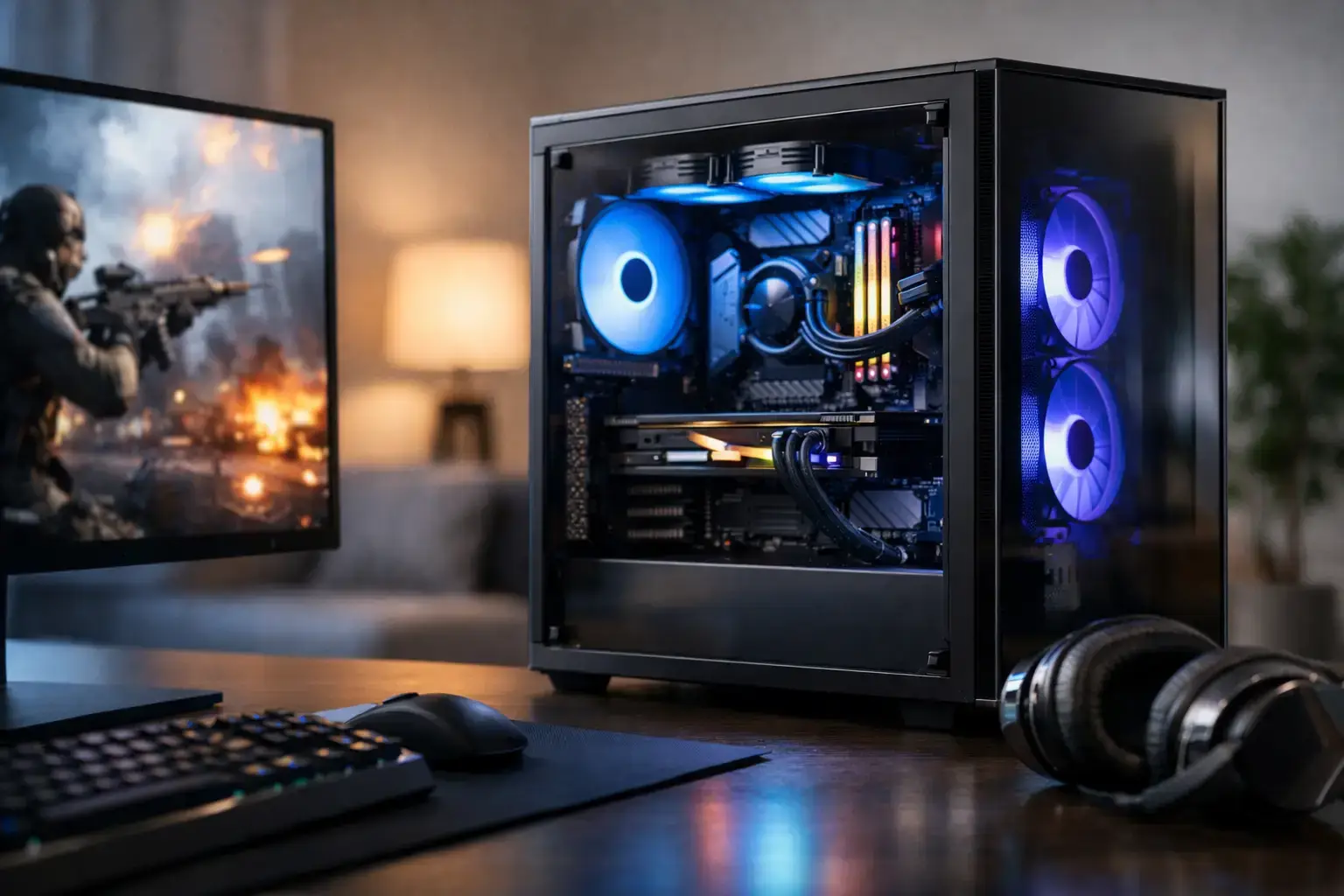
A flagship graphics card can make a game look spectacular, but the processor determines how confidently the rest of the system keeps up. An Intel i9 gaming PC is built for players who want more than acceptable frame rates: high-refresh competitive gaming, demanding single-player titles, streaming, recording, modding, and serious multitasking without turning every background task into a compromise.
That does not mean an i9 is automatically the right choice for every gamer. At 1080p with a midrange GPU, many games will see little benefit over a well-matched Intel i5 or i7 system. The value of an i9 appears when the whole build is designed around it – fast graphics, capable cooling, quality power delivery, and enough memory and storage to support the workload.
What an Intel i9 Gaming PC Does Differently
Intel Core i9 processors are designed for heavy workloads. Their combination of high clock speeds and a large core count gives them the headroom to handle game engines, background applications, and productivity software at the same time. For gamers, that can mean steadier frame times when a busy scene hits, better performance in CPU-intensive strategy and simulation games, and less disruption when Discord, a browser, capture software, or RGB control software is running in the background.
The advantage is especially clear in games that reward strong processor performance. Competitive titles played at 240Hz or higher, large multiplayer matches, city builders, flight simulators, heavily modded games, and open-world titles can place a real load on the CPU. Pair an i9 with a high-end graphics card and a fast monitor, and the system has room to chase the high-FPS experience that lower-tier hardware may struggle to sustain consistently.
An i9 also earns its place for people who use their PC beyond gaming. If you edit 4K footage, render 3D projects, compile code, produce music, or run several professional applications alongside a game, extra multi-core power has a practical payoff. Rather than building one machine for work and another for play, a properly configured i9 desktop can cover both roles.
The Graphics Card Still Sets the Gaming Ceiling
A powerful processor does not replace a powerful GPU. At 1440p and especially 4K, the graphics card usually has the largest effect on visual settings and average frame rate. An Intel i9 paired with an entry-level GPU is unbalanced for most gaming-focused buyers. You may have excellent processing power, but the graphics card becomes the limiting factor long before the CPU is fully used.
For an i9 build, look at graphics cards that belong in a high-performance system. The right choice depends on your monitor and the games you play. A strong RTX-class card is a sensible starting point for high-refresh 1440p gaming, while top-tier GPU options make more sense for 4K settings, ray tracing, and demanding creative acceleration.
This is where a configurable desktop has an advantage over a fixed mass-market prebuilt. You can invest where it matters. A player focused on 4K cinematic games may prioritize the GPU first. A competitive player targeting extremely high frame rates in CPU-heavy games may put more of the budget into the processor, memory, and cooling. Neither approach is wrong, but they produce different results.
Cooling Is Not an Optional Upgrade
Modern i9 processors can deliver exceptional performance, but flagship power requires serious thermal planning. A small, basic cooler may keep a system running, yet it can limit sustained boost behavior, increase fan noise, and reduce the point of buying a premium processor in the first place.
For many Intel i9 gaming PC configurations, a high-quality 360mm liquid cooler is the natural fit, particularly for long gaming sessions, streaming, rendering, or other sustained loads. A premium dual-tower air cooler can also be effective in the right case, but the chassis needs strong airflow and enough physical clearance. The goal is not just low temperatures on a screenshot. It is stable performance over hours of real use.
Case selection matters just as much. Choose a design with a mesh front panel, sensible fan placement, and room for the selected cooler and graphics card. A good airflow case protects component temperatures, keeps fans from working harder than necessary, and gives future upgrades more breathing room.
Motherboard Quality and Power Delivery
An i9 needs a motherboard built to support it properly. Look for a board with strong VRM power delivery, current connectivity, adequate M.2 storage slots, and the ports you will actually use. Wi-Fi capability, multiple USB ports, fast networking, and memory expansion can all matter, depending on the setup.
The motherboard is easy to overlook because it does not add frames in the same direct way as a GPU. Yet it determines upgrade flexibility, storage capacity, connectivity, and how confidently the system can support a high-end processor. It is worth choosing a board that matches the level of the rest of the build rather than cutting corners on the foundation.
Memory and Storage for a Flagship Build
For a gaming-first system, 32GB of fast DDR5 memory is the sensible target for an i9 build. It gives current games plenty of room while allowing background applications and streaming tools to stay open without squeezing the system. Buyers working with large video files, virtual machines, complex creative applications, or ambitious mod packs may benefit from 64GB.
Memory speed is only part of the story. The system should be configured with the appropriate memory profile enabled and tested for stability. Premium components do not provide premium results if they are installed with default settings that leave performance on the table.
A 1TB NVMe SSD is a practical minimum for a modern high-end gaming desktop, but 2TB is often the better long-term choice. Game libraries have grown quickly, and creative files can consume space even faster. Fast NVMe storage improves load times, keeps the operating system responsive, and helps large projects move without the slowdowns associated with older hard drives.
When You Should Choose an i7 Instead
An i9 is not mandatory for excellent gaming. If you play at 1440p or 4K and would need to reduce the graphics card budget to afford an i9, an Intel i7 paired with a stronger GPU is frequently the smarter purchase. In many GPU-limited games, that combination will deliver better visual settings and higher frame rates.
An i7 is also a great fit for players who mainly game, browse, chat, and occasionally stream. It remains a high-performance choice, particularly when paired with 32GB of memory, fast storage, and a capable graphics card. Buying the right PC is about matching the machine to your actual use, not simply choosing the highest number on the box.
Choose an i9 when you want maximum CPU headroom, play CPU-heavy titles at high refresh rates, run demanding tasks at the same time, or need one desktop to perform as both a gaming machine and a workstation. It is a premium platform for users who will genuinely use that additional capacity.
A Better Way to Spec Your High-End System
Start with the monitor. Its resolution and refresh rate define the performance target. Next, choose the graphics card that can meet that target in the games you play. Then decide whether your workload calls for an i9 or whether an i7 lets you put more budget into the GPU, display, or storage.
From there, build around reliability: 32GB or 64GB of quality DDR5 memory, a fast NVMe SSD, a motherboard with proper power delivery, a high-capacity branded power supply, and cooling that can sustain the processor under load. Expert assembly, compatibility testing, BIOS configuration, and ready-to-use setup matter here. A high-spec parts list is only as good as the system integration behind it.
PCZone approaches these builds as complete performance systems rather than a collection of impressive component names. The right configuration should arrive balanced, tested, and fully upgradeable, with each part selected to support the result you expect on screen.
If your gaming sessions regularly include streaming, recording, creative work, and demanding multitasking, an i9 can turn a powerful PC into a machine with real long-term headroom. Choose it with a graphics card, cooler, and platform worthy of the processor, and it will be ready for far more than the next match.

