


Blog
How to Select a Gaming CPU That Fits Your PC

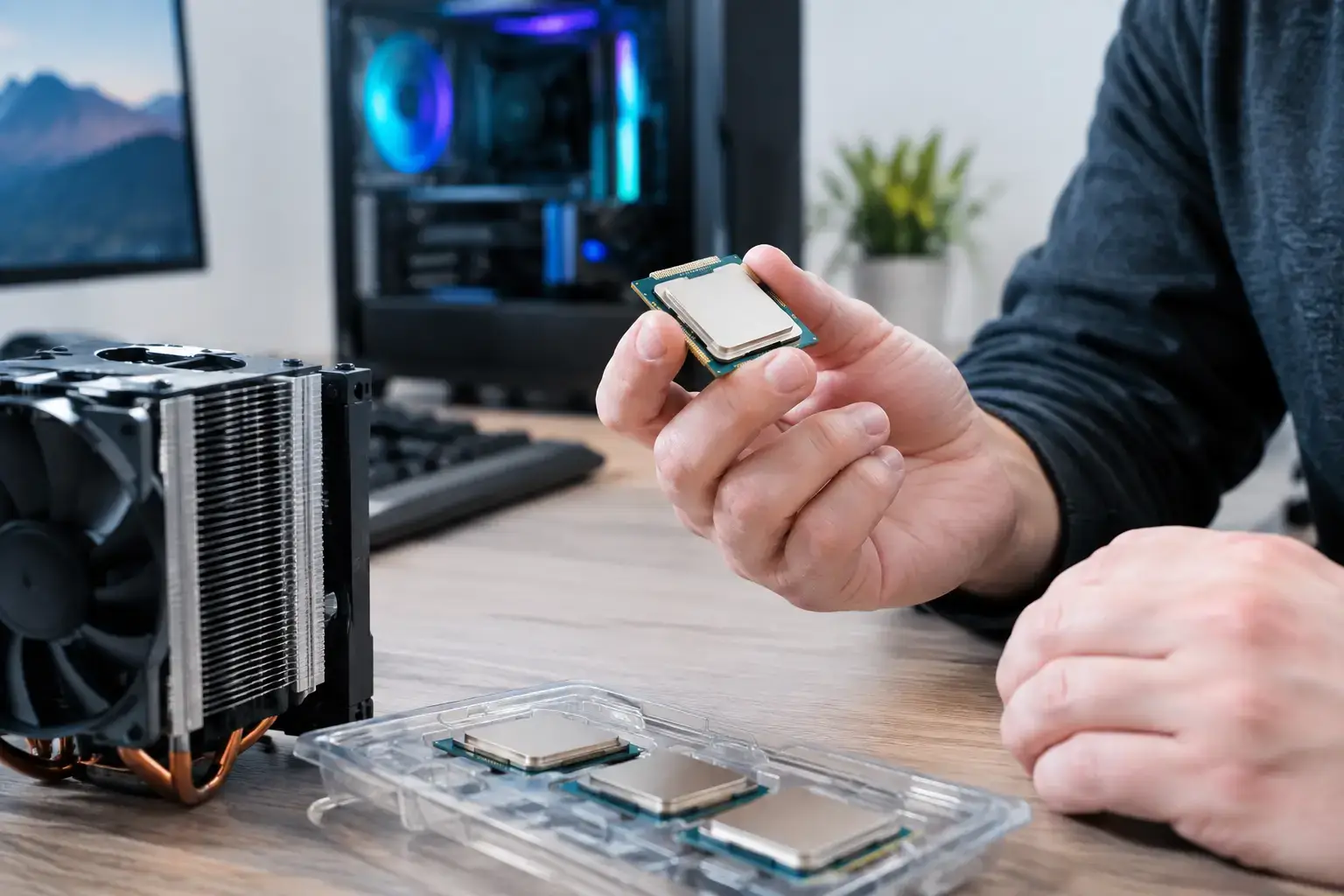
A new graphics card can push more frames, but the CPU decides how consistently your PC can feed it during a packed Fortnite endgame, a busy city in Cyberpunk 2077, or a 240Hz esports match. Knowing how to select gaming CPU hardware means looking beyond the biggest model number. The right processor matches your games, graphics card, monitor, budget, and plans for the next few years.
For most gamers, the goal is not simply buying the fastest CPU available. It is building a balanced, compatibility-checked system that delivers responsive gameplay without taking money away from the GPU, memory, or storage that also shape the experience.
Start With the Games and Frame Rates You Want
Your target resolution and refresh rate should guide the CPU decision. At 1080p with a 144Hz, 165Hz, or 240Hz monitor, the processor often has a larger effect on frame rates because the graphics card can render frames quickly. Competitive titles such as Valorant, Counter-Strike 2, Rainbow Six Siege, Rocket League, and Fortnite can benefit from a strong modern gaming CPU, particularly when you want consistently high minimum frame rates.
At 1440p, CPU performance still matters, but the graphics card takes on more of the workload. At 4K with high visual settings, the GPU is usually the main performance limit. That does not mean the CPU is irrelevant. A weak or outdated processor can still cause stutter, slow loading of game-world data, and uneven frame pacing. It simply means you do not need to overspend on the processor if your budget would be better spent on a stronger graphics card.
Think about what you actually play. A PC built for Roblox, Minecraft, Terraria, and everyday gaming has very different needs from one intended for competitive 240Hz esports, heavily modded simulation games, or demanding open-world releases. Games such as Microsoft Flight Simulator, Cities: Skylines, and large strategy titles can be especially CPU-heavy, while many cinematic single-player games are more dependent on GPU horsepower at higher resolutions.
How to Select a Gaming CPU by Core Count
Core count matters, but it is only one part of the story. Modern games benefit from several cores, while Windows, Discord, launchers, browser tabs, background updates, and recording software all use processing resources at the same time.
A current 6-core, 12-thread processor is an excellent starting point for a dedicated gaming desktop. It provides strong performance for mainstream gaming and leaves enough headroom for normal multitasking. This is the sweet spot for many first-time and mid-range PC buyers.
An 8-core processor makes more sense when you want extra breathing room for streaming, recording gameplay, editing video, running demanding mods, or keeping the system relevant for longer. The gain is not always dramatic in average frame rates, but it can improve system responsiveness when several applications are active.
Higher-core-count CPUs are best for buyers whose PC is both a gaming machine and a serious workstation. If you regularly render video, compile code, work in 3D applications, or process large creative projects, additional multi-core power can save meaningful time. For gaming alone, however, moving from a well-chosen 8-core chip to a flagship 12-core or 16-core model may deliver less value than upgrading the graphics card.
Do Not Judge CPUs by Clock Speed Alone
Clock speed, measured in GHz, is easy to compare, but it does not tell the whole performance story. A 5GHz processor is not automatically faster than a 4.5GHz model from a different architecture. Each processor generation can complete a different amount of work per clock cycle, and cache design, memory support, and power limits also influence real-world results.
For gaming, look for strong single-core performance, modern architecture, and proven game performance rather than chasing one headline number. This is why a newer mid-range CPU can often outperform an older high-end processor despite having a lower advertised clock speed or fewer cores.
Cache can also have a major effect in certain games. Some gaming-focused processors include extra cache designed to keep frequently used data closer to the CPU. These models can be particularly effective in CPU-limited games, simulation titles, and high-refresh-rate play. They are not automatically the best choice for every workload, but they are worth considering if gaming is the clear priority.
Choose the Right AMD or Intel Platform
Both AMD Ryzen and Intel Core processors can deliver excellent gaming performance. The best choice usually comes down to the specific CPU, motherboard features, available budget, and upgrade path, not brand loyalty.
AMD Ryzen systems are popular with gamers who want efficient performance and a platform with upgrade potential. Depending on the motherboard socket and chipset, an AMD build may make future CPU upgrades straightforward. Ryzen chips with gaming-focused cache designs are also strong options for buyers targeting high FPS in the right games.
Intel Core systems remain compelling for broad all-around performance, with options across entry-level, mid-range, and enthusiast tiers. An Intel build can be an excellent choice for gaming, productivity, and mixed workloads, especially when the selected motherboard has the connectivity and expansion features you need.
The motherboard is part of the CPU decision. It determines the socket, memory support, storage options, USB connectivity, networking features, and future upgrade flexibility. A lower-cost board can be perfectly suitable for a mainstream gaming PC, but very high-end CPUs may need stronger power delivery and cooling support. Matching these parts correctly is one reason a custom-built, fully tested PC is safer than selecting components purely from specifications.
Match the CPU to Your Graphics Card
A balanced PC avoids obvious bottlenecks. Pairing an entry-level processor with a powerful high-end GPU can limit frame rates in CPU-heavy games, especially at 1080p. On the other hand, pairing a premium enthusiast CPU with a modest graphics card may not improve the visual settings or frame rates you notice most at 1440p or 4K.
For a budget gaming build, a modern 6-core CPU and an entry-to-mid-range graphics card create a strong foundation for popular games. For mid-range 1440p gaming, a capable 6-core or 8-core processor paired with a stronger GPU gives excellent results. For high-FPS esports or premium RTX-class gaming, moving to a higher-performing CPU can help preserve smooth minimum frame rates and make better use of a fast monitor.
Do not make the decision based on the word “bottleneck” alone. Every game, resolution, setting, and GPU combination changes the balance. The practical question is whether the CPU will hold back the experience you are paying for. If you play at 4K with high settings, directing more budget toward the graphics card is often smart. If you play competitive titles at low settings for maximum frames, CPU performance becomes far more valuable.
Plan for Memory, Cooling, and Power
A gaming CPU cannot perform at its best if the supporting components are poorly matched. For a new gaming PC, 16GB of RAM is a workable minimum, while 32GB is the more comfortable choice for modern games, multitasking, mods, streaming, and long-term ownership. Fast, correctly configured memory matters too, particularly on platforms that respond well to higher memory speeds.
Cooling is equally important. Higher-performance CPUs can generate substantial heat under sustained gaming, streaming, or creative workloads. A quality air cooler is enough for many processors, while higher-tier chips may benefit from a larger air cooler or liquid cooling solution. Good cooling helps the CPU maintain boost speeds, keeps fan noise under control, and supports stable operation over long sessions.
Your power supply should also be selected for the whole system, particularly the graphics card. A reputable unit with enough capacity and the correct connectors gives the build room to perform reliably and makes future upgrades easier.
Consider Your Upgrade Path Before You Buy
A CPU purchase is also a platform purchase. Ask whether you expect to replace only the graphics card in two or three years, or whether you want the option to install a newer processor later. A motherboard with additional M.2 storage slots, enough RAM capacity, modern connectivity, and a suitable CPU socket can extend the useful life of the system.
That said, do not buy a weaker CPU today only because a hypothetical future upgrade might exist. Choose a processor that meets your current performance target first. Upgrade potential is a valuable bonus, not a substitute for the gaming experience you want now.
For many buyers, the best value comes from a current mid-range CPU, 32GB of memory, fast NVMe storage, and the strongest graphics card that fits the remaining budget. PCZone builds are assembled around that kind of real-world balance, with premium parts, BIOS and memory-profile configuration, and testing completed before the system reaches your desk.
Before choosing, write down the games you play, monitor resolution and refresh rate, graphics card tier, and whether you stream or create content. Those four details turn a confusing CPU comparison into a clear build decision – and help ensure your next PC feels fast not only on launch day, but every time the action gets busy.

