


Blog
Air Cooling Versus Liquid Cooling for Your PC

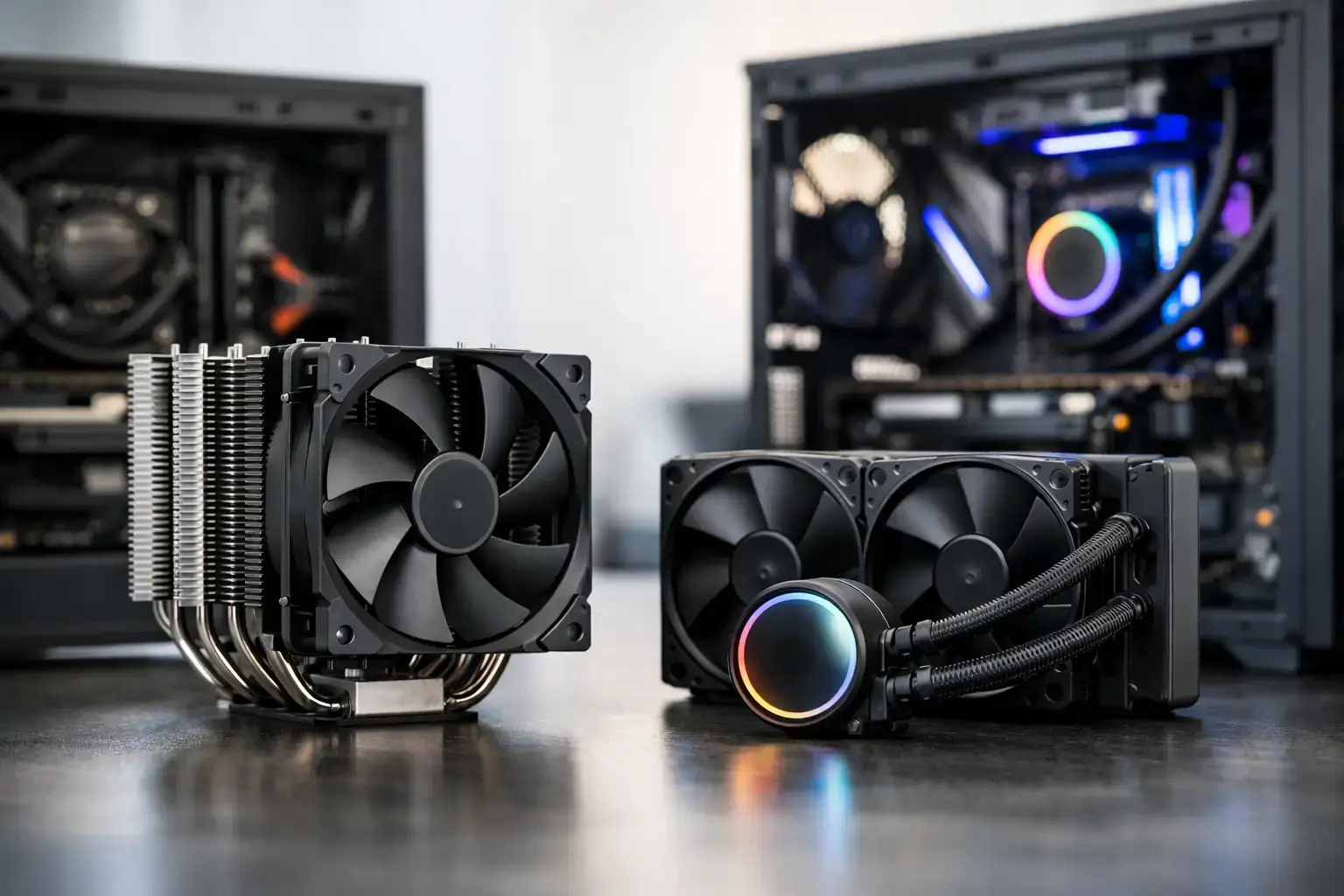
A fast CPU can only sustain its best performance when heat is under control. That is why air cooling versus liquid cooling matters when configuring a gaming PC or workstation: the right choice affects boost clocks, fan noise, case clearance, budget, and how confidently your system handles long sessions of gaming, rendering, or multitasking.
For most buyers, the decision is not about choosing the most expensive cooler. It is about matching the cooling solution to the processor, graphics workload, chassis, and performance target. A well-chosen air cooler can be an excellent fit for a Ryzen 5 or Intel Core i5 gaming machine. A liquid cooler can make more sense when a Ryzen 9 or Intel Core i9 system is pushing high frame rates, compiling code, exporting video, or running demanding creative workloads for hours.
How Air Cooling Works
An air cooler moves heat away from the CPU through a metal contact plate, heat pipes, and a fin stack. One or more fans then pull or push air through those fins and out into the case airflow path. It is a simple design, but modern tower coolers are far more capable than the small stock coolers many people picture.
A quality air cooler is dependable because it has few moving parts. The fan is the main wear item, and it can usually be replaced easily. There is no pump, radiator, or coolant loop to manage. For a home PC, office desktop, or mid-range gaming build, that simplicity is a real advantage.
Where Air Cooling Shines
Air cooling delivers strong value. It is often less expensive than a comparable all-in-one liquid cooler, leaving more of the budget for the GPU, memory, or a larger NVMe SSD. That can have a bigger impact on real gaming performance than spending extra on cooling alone.
It is also a practical choice for systems that prioritize easy servicing and long-term ownership. A premium dual-tower air cooler can manage many high-performance CPUs, particularly when the system has sensible power settings and a case with good front-to-back airflow. For esports titles, everyday creative work, and general productivity, it can provide quiet, stable operation without adding unnecessary complexity.
Air coolers are not automatically loud. Fan quality, fan curve settings, case airflow, and CPU power draw all matter. A large heatsink with slow-spinning fans can be very quiet at idle and during lighter loads. The key is avoiding the assumption that liquid cooling is the only route to a low-noise PC.
Air Cooling Trade-Offs
The main limitation is physical size. Large tower coolers can overhang memory slots, block a tall RAM heat spreader, or require a wider case. Compatibility should be checked against the motherboard, RAM height, and case CPU-cooler clearance before a build is finalized.
Air coolers also release CPU heat directly inside the case. That is not usually a problem in a well-designed chassis, but it makes overall case ventilation especially important. If hot air lingers around a powerful graphics card and CPU, fan speeds rise and the entire system becomes noisier.
For high-wattage processors under sustained all-core loads, even an excellent air cooler may run closer to its limits. The PC can still be safe and stable, but temperatures and fan noise may be higher than a larger liquid solution can achieve.
How Liquid Cooling Works
Most desktop liquid coolers are sealed all-in-one units, often called AIO coolers. A pump sends coolant through a CPU block, along flexible tubes, and into a radiator. Fans mounted on the radiator transfer that heat out of the liquid and into the surrounding air.
The advantage is surface area and placement. A 240 mm, 280 mm, or 360 mm radiator can provide a large area for heat dissipation, while moving the heat-exchange point to the top or front of the case. That gives liquid cooling a clear edge in many high-end configurations.
Air Cooling Versus Liquid Cooling Under Heavy Load
When comparing air cooling versus liquid cooling, sustained workloads are where the difference becomes most visible. A short game launch or web browsing session will not challenge either cooler much. A long 4K video export, CPU render, simulation, or extended high-refresh-rate gaming session can.
Liquid coolers, especially 280 mm and 360 mm models, are often better at absorbing and dissipating prolonged heat from high-core-count CPUs. That can help the processor hold higher boost behavior for longer, depending on its power limits and motherboard settings. For creators, engineers, streamers, and power users, that extra thermal headroom can translate into more consistent completion times and a more responsive system while other tasks are running.
For gaming, results depend heavily on the game and GPU. In many modern titles, the graphics card is the primary performance limit. If a Ryzen 7 or Core i7 CPU is already running comfortably with a capable air cooler, moving to liquid cooling may not create a dramatic FPS jump. The value may instead be lower temperatures, reduced fan speed, cleaner visual presentation, or extra headroom for a future CPU upgrade.
That distinction matters. Cooling supports performance, but it does not replace the need for the right CPU and GPU tier. A balanced build with a strong graphics card, fast memory, and a properly sized cooler will outperform an unbalanced system built around appearances.
Liquid Cooling Trade-Offs
An AIO adds components: a pump, tubing, radiator, and more fans. Quality units are designed for years of use, but they are still more complex than an air cooler. Pump noise can be audible in a very quiet room, and any cooler eventually reaches the end of its service life.
Radiator compatibility also needs attention. A 360 mm radiator will not fit every case. Top mounting, front mounting, RAM clearance, motherboard heatsinks, graphics card length, and airflow direction all need to work together. Front-mounted radiators can bring warmer air into the case, while top-mounted radiators often exhaust CPU heat upward. Neither layout is universally best – the ideal setup depends on the case and the components inside it.
Liquid cooling generally costs more as well. If your budget is fixed, consider what you give up to pay for it. Dropping from a faster GPU or reducing storage capacity just to add a large AIO is rarely the right move for a gaming-focused build.
Choosing the Right Cooler for Your Build
Start with the CPU and workload rather than the cooler style. A Ryzen 5 or Core i5 system built for Fortnite, Roblox, Minecraft, schoolwork, and everyday use usually performs brilliantly with a good air cooler. It keeps the build affordable, reliable, and fully upgradeable.
A Ryzen 7 or Core i7 gaming PC can go either way. Choose a strong air cooler when value and simple maintenance are priorities. Choose a 240 mm or 280 mm liquid cooler when the build uses a compact performance case, runs heavier CPU loads, or you want extra thermal capacity with a cleaner internal layout.
For Ryzen 9 and Core i9 processors, liquid cooling is often the more sensible recommendation, especially for editing, 3D work, rendering, software development, and demanding multitasking. A 280 mm or 360 mm AIO gives these chips more room to operate under sustained load. Some premium air coolers remain capable, but the final decision should account for the processor’s power settings, case airflow, and the noise level you are comfortable with.
Do not overlook the rest of the thermal setup. Two or three well-positioned case fans, unobstructed intake vents, and a sensible fan curve can make a larger difference than buyers expect. Premium components should be compatibility-checked as a complete system, not selected in isolation.
The Better Choice Is the One That Fits
Air cooling is not the budget compromise, and liquid cooling is not automatically a performance requirement. Air is the smart, durable choice for many gaming and productivity PCs. Liquid earns its place when high-end CPUs, sustained workloads, compact layouts, or visual preferences justify the added cost and complexity.
A properly configured PC should feel fast, stable, and controlled, not like it is fighting its own heat. Choose the cooler that leaves room for the parts that matter most to your workload, then make sure the entire build is assembled with airflow, compatibility, and future upgrades in mind.

