


Blog
Nvidia RTX Versus Radeon Graphics: Which Fits?

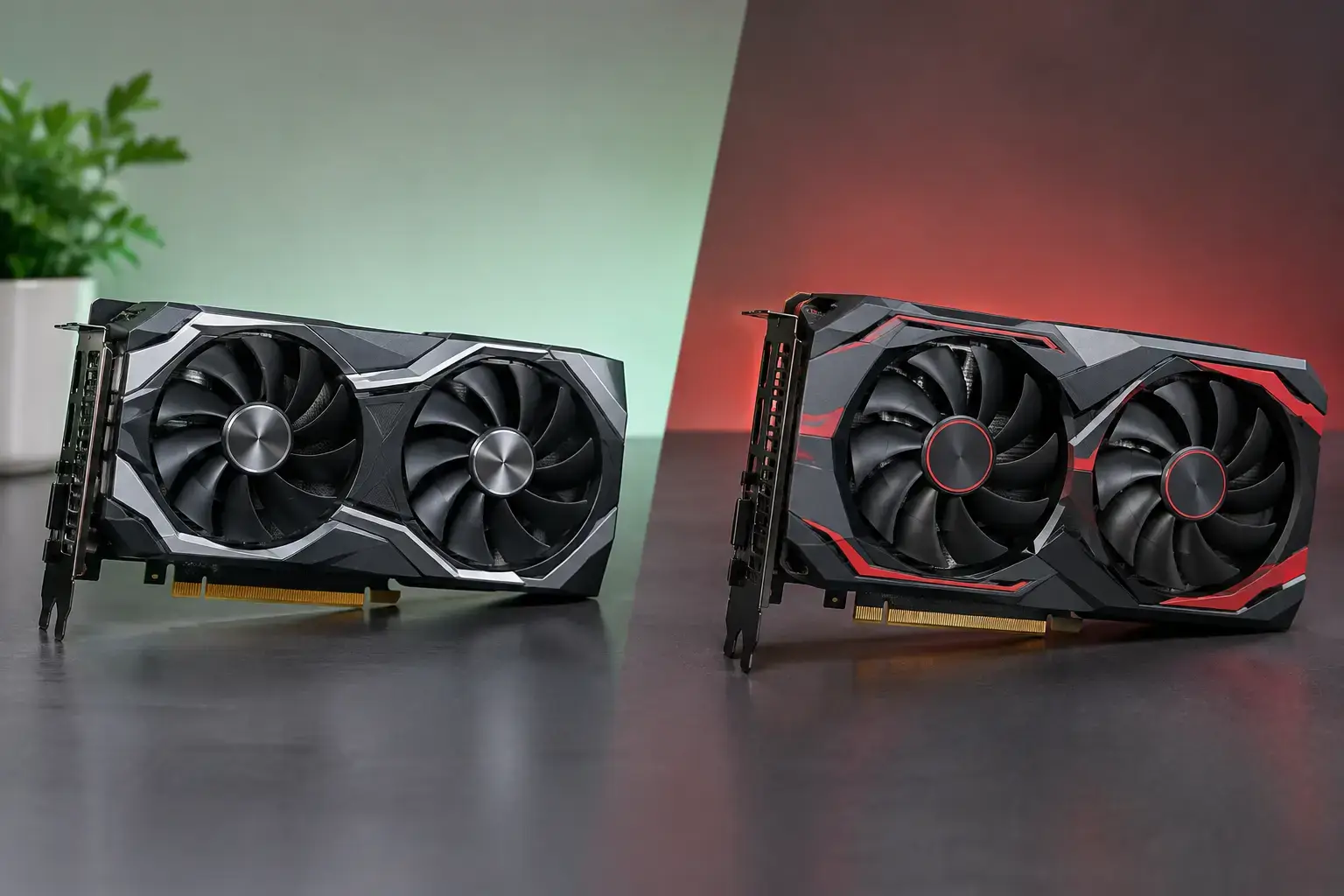
A graphics card choice can decide whether your new PC feels perfectly balanced or leaves performance on the table. Nvidia RTX versus Radeon graphics is not simply a contest of brand names: it is a decision about the games you play, the resolution you target, the creative software you use, and how much value you want from the rest of your build.
Both Nvidia and AMD make excellent GPUs for gaming PCs, creator systems, and powerful home workstations. The better option depends on where your budget sits and which features will actually improve your day-to-day experience. A high-end GPU is impressive on a specification sheet, but the right graphics card is the one that matches your monitor, processor, and workload.
Nvidia RTX versus Radeon graphics for gaming
For raw gaming performance, Radeon cards are often highly competitive at traditional rendering, especially at 1080p and 1440p. In certain price brackets, AMD can deliver more rasterized frames per dollar and more video memory than a closely priced Nvidia alternative. That makes Radeon a strong choice for players who want high refresh-rate esports performance or sharp 1440p gameplay without paying extra for features they may not use.
Nvidia RTX cards usually hold a clearer advantage when ray tracing enters the picture. Ray tracing improves how light, reflections, shadows, and ambient detail behave in supported games. It can make a rain-soaked street, chrome car body, or indoor scene look noticeably more natural, but it is demanding on any GPU. RTX cards generally maintain stronger frame rates with ray tracing enabled, particularly in newer demanding titles.
That does not mean every gamer needs ray tracing. Competitive players focused on Fortnite, Valorant, Counter-Strike, Rocket League, or similar esports titles are normally chasing fast, consistent frame rates and low input latency. A well-chosen Radeon GPU can be an excellent fit here, particularly when paired with a high-refresh 1080p or 1440p monitor.
For single-player games where visual settings matter as much as FPS, Nvidia often earns its premium through stronger ray tracing and its DLSS upscaling technology. DLSS uses AI-assisted processing to render games efficiently while preserving a sharp image. AMD’s FSR upscaling works across a broader range of graphics cards and has improved substantially, but DLSS is often the more polished option in games that support both.
Resolution, refresh rate, and the GPU tier that matters
The monitor should shape your graphics card decision. Buying a premium GPU for a basic 1080p 60Hz display may offer little visible benefit, while running a 4K high-refresh monitor on an entry-level card can lead to disappointing settings compromises.
At 1080p, entry and midrange Nvidia RTX or Radeon graphics can deliver excellent results in popular games. The focus should be reliable frame rates, enough video memory for newer releases, and a balanced processor so the GPU is not waiting on the CPU. This is a smart level for first-time gaming PCs, family systems that also handle schoolwork, and esports-focused setups.
At 1440p, the GPU becomes even more important. This resolution is a sweet spot for many PC gamers because it provides a meaningful increase in image detail without the demanding hardware requirements of 4K. Midrange and upper-midrange Radeon cards can offer strong value here, while RTX models are especially appealing for players who want ray tracing, DLSS, or a more capable streaming and creator feature set.
At 4K, premium graphics hardware is the sensible starting point. Modern games can use a large amount of GPU horsepower and video memory at ultra settings. Nvidia RTX cards are often the safer option for 4K ray-traced gaming because DLSS and frame-generation features can help keep demanding titles responsive. Radeon can still be a compelling 4K choice for players prioritizing traditional performance and generous VRAM, especially if ray tracing is not a must-have.
Ray tracing and upscaling are useful, not automatic deal-breakers
Feature discussions can become too absolute. Ray tracing is not a requirement for great PC gaming, and upscaling is not a magic fix for an underpowered graphics card. Both technologies work best when the base system is already correctly specified for the target resolution.
Choose an RTX card if you regularly play cinematic AAA games and want the strongest ray-tracing experience available in your budget. Nvidia’s software support, DLSS, and broad developer adoption create a compelling package for gamers who prefer maximum visual fidelity.
Choose Radeon if you want strong native-resolution gaming performance, competitive pricing, and often higher VRAM capacity for the money. Extra video memory can be valuable in texture-heavy games, large modded titles, and applications that work with sizable graphics assets. It also provides useful headroom as games become more demanding over the life of the PC.
The practical question is not whether one feature wins every comparison. Ask whether you will turn it on. If you mainly play fast esports games at competitive settings, spending more for premium ray tracing may not improve your experience. If your favorite games are Cyberpunk 2077, Alan Wake 2, or other visually ambitious releases, RTX features can be worth prioritizing.
Streaming, editing, and professional workloads
Gaming is only half the story for many buyers. Content creators, streamers, video editors, 3D artists, and AI users may see a meaningful difference between the two platforms even when game frame rates are similar.
Nvidia has long had an advantage in software ecosystems used by creative and technical applications. CUDA acceleration is widely supported in professional workflows, including many rendering, AI, engineering, and video-production tools. If your work depends on an application that specifically benefits from CUDA, an RTX card is usually the straightforward choice.
Nvidia’s encoder is also a frequent reason streamers choose RTX. It allows the GPU to handle video encoding efficiently, helping preserve game performance while delivering a clean stream. AMD’s modern media engine is capable and continues to improve, but Nvidia remains the safer pick for buyers who want broad compatibility with established streaming and creator software.
Radeon still deserves serious consideration for creators who prioritize value, video memory, or applications that do not depend on CUDA. A GPU with more VRAM can help in certain editing, rendering, and design workloads. The key is to check the software you use rather than assuming every creative task favors the same brand.
For business PCs and general productivity systems, neither an RTX nor Radeon card is automatically necessary. Spreadsheets, web applications, standard office work, and video calls rarely justify a powerful dedicated GPU. Put that budget toward a faster processor, more memory, or larger SSD storage unless your work includes GPU-accelerated design, visualization, or multiple high-resolution displays.
Build balance matters more than a logo
A graphics card should never be selected in isolation. A powerful RTX or Radeon GPU needs a processor capable of feeding it data, enough system memory for modern games and multitasking, a quality power supply, and airflow that keeps components operating at their best.
For a midrange gaming PC, 16GB of memory remains workable, while 32GB gives more comfortable headroom for new games, streaming, editing, and heavy browser use. Fast NVMe storage reduces game load times and keeps the whole system feeling responsive. A correctly sized branded power supply is essential, particularly for upper-tier cards with higher power demands.
This is where a compatibility-checked custom system has a real advantage. Rather than guessing whether a GPU fits the case, whether the power supply has enough capacity, or whether the processor is too modest for the target frame rate, the complete build can be configured around the performance level you actually want. PCZone systems are assembled around premium components, tested for stability, and designed to remain fully upgradeable as your needs change.
Which should you choose?
Nvidia RTX is the stronger all-round choice for gamers who value ray tracing, DLSS, streaming, 3D rendering, AI-assisted workflows, or software that uses CUDA. It is often the more feature-rich option, though that can come with a higher price at comparable traditional gaming performance.
Radeon is a smart choice for buyers who want excellent native gaming frame rates, strong 1440p value, and generous VRAM without paying for Nvidia features they are unlikely to use. It can be particularly effective in a performance-focused gaming build where every dollar needs to translate into visible FPS.
Start with your monitor and your favorite games, then choose the GPU tier before choosing the badge. A balanced system built for the way you actually play or work will stay faster, quieter, and more satisfying than an over-specced graphics card surrounded by compromises.

