


Blog
DDR4 Versus DDR5 Memory: Which Should You Buy?

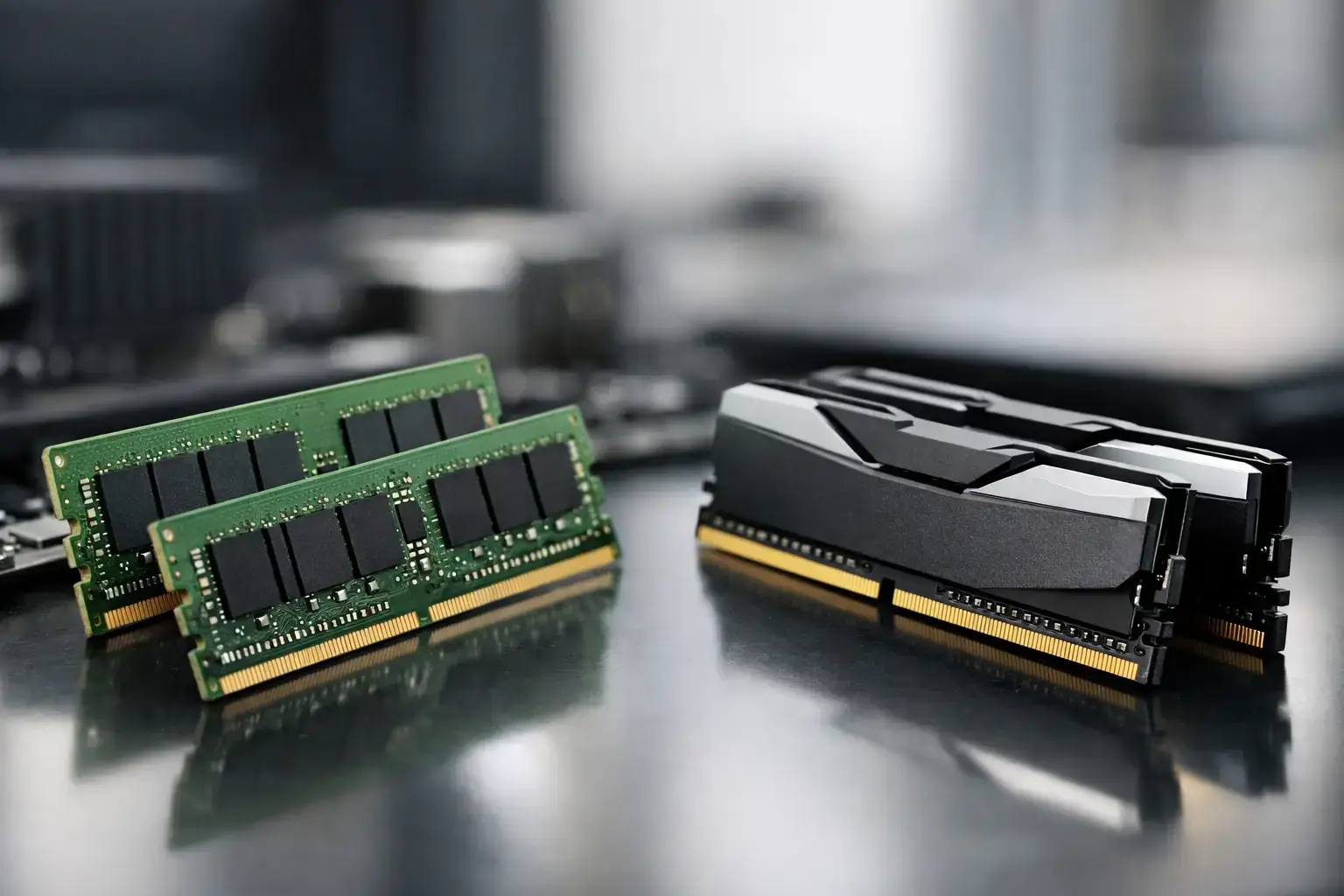
A new PC can look nearly identical on paper until you notice one detail: the memory platform. DDR4 versus DDR5 memory is not simply a choice between an older and newer part. It affects your motherboard and CPU options, upgrade path, budget, and, in certain games and creative workloads, the performance you actually feel.
For a first gaming PC, DDR4 can still deliver excellent high-FPS esports performance when it is paired with the right processor and graphics card. For a new higher-end build meant to last through several upgrades, DDR5 is usually the stronger starting point. The right answer depends on the platform, the workload, and where the money saved or spent will make the biggest difference.
DDR4 Versus DDR5 Memory at a Glance
DDR4 and DDR5 are different generations of system memory. They are not interchangeable. A DDR4 kit will not fit in a DDR5 motherboard slot, and a DDR5 kit cannot be installed in a DDR4 board. Some processor generations support either memory type depending on the motherboard, while others are DDR5-only.
DDR4 has been the standard for years, which means it is widely available, well understood, and often more affordable. It remains a smart fit for value-focused gaming desktops, office PCs, and upgrades built around an existing compatible motherboard.
DDR5 brings higher bandwidth, larger potential capacities, and a platform with more room to grow. Its higher transfer rates are particularly useful for newer CPUs, demanding multitasking, large creative projects, and games that benefit from strong processor and memory performance. It has also become the standard choice on current AMD desktop platforms and many newer Intel systems.
The key point is simple: memory generation should follow the PC platform, not lead it. Choose the processor and motherboard that suit the system, then select a properly matched memory kit.
Speed Is More Than the Number on the Box
Memory speed is usually shown in MT/s, or megatransfers per second. Typical DDR4 gaming kits may run at 3200 MT/s or 3600 MT/s, while common DDR5 kits begin around 4800 MT/s and frequently reach 5600, 6000, or higher. This gives DDR5 substantially more bandwidth.
Bandwidth is valuable when a CPU needs to move large amounts of data quickly. Modern multi-core processors, game engines, video-editing applications, code compilation, and productivity workflows with many open applications can all benefit. Integrated graphics benefit especially because they use system memory rather than dedicated graphics memory.
However, higher bandwidth does not automatically mean a dramatic real-world gain in every task. DDR5 often uses higher latency timings than DDR4, and latency matters too. In a GPU-limited game running at high visual settings, switching from a good DDR4 kit to DDR5 may create a small difference because the graphics card is doing the limiting work.
At lower resolutions, in competitive games aiming for very high frame rates, or with a powerful graphics card and CPU, faster DDR5 can make a more visible impact. It may improve average frame rates, but its more meaningful advantage can be smoother frame pacing and stronger 1% low results. That matters when you want responsive gameplay rather than an impressive benchmark number alone.
Memory Profiles Matter
Rated memory speed is not always the speed a PC runs by default. Many kits require a memory profile to reach their advertised specification. Intel systems commonly use XMP profiles, while AMD-focused DDR5 kits may use EXPO profiles.
A compatibility-checked build should have the appropriate profile configured and stability tested. Without that step, expensive high-speed memory can run at a lower basic speed. The fastest number on a package is only useful if the CPU, motherboard, BIOS version, and memory settings can run it reliably.
Capacity Usually Matters Before Extreme Speed
For most buyers, capacity should be the first memory decision. A balanced modern gaming desktop should generally start with 16GB, although 32GB is now the better target for a new mid-range or high-performance system. Games are larger, browsers consume more memory, and many players run voice chat, launchers, recording tools, and background apps alongside the game.
For content creation and professional work, 32GB is a practical baseline for many users. Video editing, photo work with large files, music production, 3D design, virtual machines, data work, and heavy multitasking can justify 64GB or more. The exact amount depends on the software and project size, not just the CPU tier.
A 32GB DDR4 kit is frequently a better purchase than a 16GB DDR5 kit if the workload genuinely needs the extra capacity. When a system runs out of available memory, it starts relying more heavily on storage as temporary memory. Even a fast SSD is much slower than RAM, and the result can be stuttering, slow application switching, and reduced productivity.
For most gaming systems, two matched memory modules are preferred over one. A matched 2 x 16GB configuration, for example, gives 32GB total capacity and allows dual-channel operation. Mixing separate kits later can work, but it is not guaranteed to reach the same rated speed or stability as a factory-matched kit.
When DDR4 Still Makes Sense
DDR4 is not obsolete. It remains a capable, cost-effective option when it supports a better-balanced build. If choosing DDR4 lets you move from a lower-tier graphics card to a stronger GPU, that change will normally have a far larger effect on gaming performance than DDR5 alone.
It is also the sensible upgrade route for an existing DDR4 system. Replacing a motherboard, CPU, and memory just to change memory generations rarely represents the best value if the current processor still meets your needs. Adding capacity or moving to a faster compatible DDR4 kit can extend the useful life of a system at a modest cost.
DDR4 is particularly attractive for entry-level and mid-range desktops used for Fortnite, Minecraft, Roblox, schoolwork, home office tasks, and mainstream 1080p gaming. A quality DDR4 platform with a capable Ryzen 5 or Intel Core i5 processor can still feel quick, responsive, and fully upgradeable within its supported component range.
The trade-off is platform longevity. New motherboard and CPU releases are increasingly centered on DDR5, so a DDR4 build has fewer future processor upgrade options. That does not make it a poor choice. It simply makes it best for buyers focused on strong performance today at a controlled price.
Why DDR5 Is the Better Choice for New Premium Builds
DDR5 makes the most sense when building around a current platform, especially a higher-end gaming desktop, professional workstation, or system intended for a long service life. You get more bandwidth now and a more current motherboard ecosystem for future upgrades.
For gaming, DDR5 pairs well with modern Ryzen 7, Ryzen 9, Intel Core i7, and Intel Core i9 processors, particularly when combined with a high-performance graphics card. The difference will vary by title, but a balanced DDR5 configuration helps avoid leaving CPU-side performance on the table in high-refresh-rate gaming.
For creators and power users, DDR5’s bandwidth and capacity potential are more compelling. Rendering, editing, simulation, virtualized workloads, and intensive multitasking place constant demands on the CPU and memory subsystem. A workstation with 64GB of well-configured DDR5 has far more headroom than a basic system, even when both use a fast processor.
DDR5 pricing has improved significantly, but it still needs to be considered as part of the whole configuration. The cost includes the memory itself and the compatible motherboard. There is no benefit in overspending on premium, extreme-speed RAM if it forces compromises in graphics performance, storage capacity, cooling, or CPU tier.
What Speed Should You Choose?
For DDR4, 3200 MT/s and 3600 MT/s remain sensible performance targets for many mainstream systems. For DDR5, 5600 MT/s to 6000 MT/s is often a strong balance of price, compatibility, and real-world speed on current gaming and productivity platforms.
Going beyond those ranges can be worthwhile for enthusiasts tuning a performance-focused system, but returns can become smaller and compatibility requirements become more specific. Stability is worth more than a marginal benchmark gain. A PC should boot reliably, handle long gaming sessions, and complete demanding work without memory errors.
Choose Memory as Part of the Whole PC
The best memory choice is the one that supports the system’s purpose. A budget gaming desktop may be better with DDR4, 32GB of capacity, and a stronger graphics card. A new enthusiast rig aimed at high-refresh-rate gaming is better positioned with DDR5 and a current CPU platform. A professional workstation should prioritize enough memory capacity first, then choose the memory generation that matches its processor and motherboard.
Before buying, confirm four things: the motherboard supports the memory generation, the CPU supports the intended speed, the kit is sold as a matched pair or set, and the selected capacity matches the workload. These details prevent the frustrating situation where individual parts look impressive but do not produce a balanced machine.
If you are choosing between two otherwise similar PC configurations, put the budget toward the component holding back your actual workload. For many gamers that is the GPU; for editors and multitaskers it may be memory capacity; for buyers planning several years ahead, it is often a modern DDR5 platform. A properly configured system should feel fast on day one and leave you with sensible options when it is time to upgrade.

