


Blog
How Much RAM for Gaming? 16GB vs. 32GB vs. 64GB

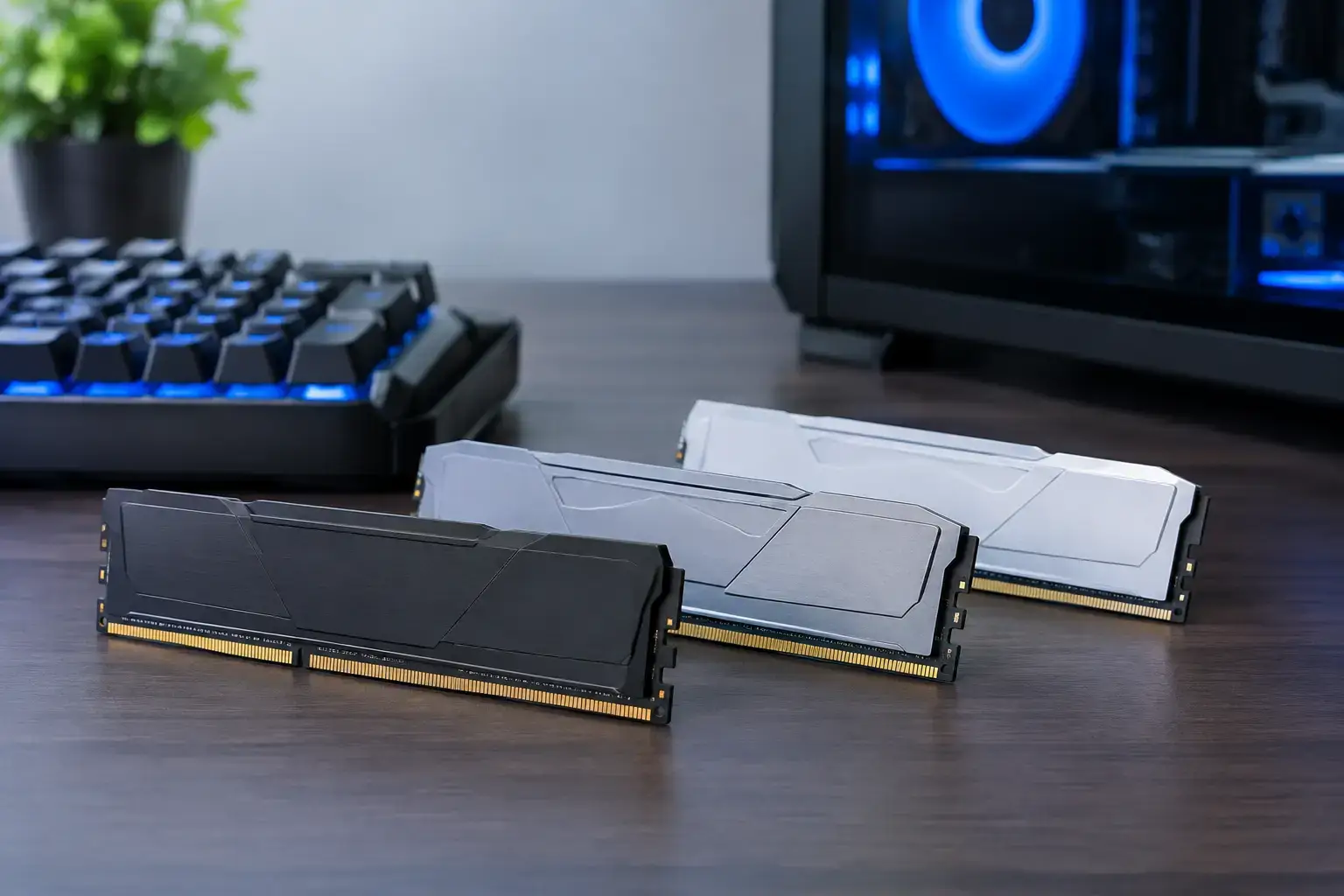
A new graphics card can push more frames, but it cannot rescue a system that runs out of memory halfway through a match. If you are asking how much RAM for gaming you need, the straightforward answer is 16GB is the practical minimum for a modern gaming PC, while 32GB is the smarter choice for most new builds. The right amount depends on the games you play, what runs in the background, and how long you want the system to stay comfortable.
RAM, or system memory, is where your PC keeps the data it needs right now: game assets, maps, browser tabs, Discord, launchers, streaming software, and Windows itself. When RAM fills up, the PC falls back on storage. Even a fast SSD is much slower than memory, which can lead to stutters, longer loading moments, and sluggish multitasking.
How Much RAM for Gaming Is Enough?
For a gaming-only PC that runs popular competitive titles, 16GB is still enough. Fortnite, Valorant, Rocket League, Minecraft, Roblox, and many other esports-focused games run very well with 16GB when paired with a balanced processor and graphics card. It remains a strong choice for a budget-conscious first gaming PC.
For most buyers building or buying a new desktop, however, 32GB is the performance sweet spot. Modern games are larger, open-world environments are more demanding, and few people game with absolutely nothing else open. A browser with guides or videos, Discord voice chat, RGB software, a game launcher, and Windows background tasks can quickly turn 16GB into a tighter fit than expected.
64GB is not necessary for gaming alone, but it has a clear place in high-end mixed-use systems. It makes sense for players who stream, edit video, create 3D content, work with large files, run virtual machines, or play heavily modded games. Think of it as workstation-level breathing room rather than an automatic FPS upgrade.
16GB RAM: The Smart Starting Point
A 16GB configuration is best viewed as the entry point for a capable modern gaming desktop, not an outdated compromise. With a matched 2 x 8GB kit in dual-channel mode, a well-configured PC can deliver high-FPS esports performance and excellent results in less demanding AAA games.
It is particularly sensible when the budget is better spent on a stronger graphics card. For example, choosing 16GB rather than 32GB may allow room for a meaningful GPU step up, and the GPU often has a bigger impact on frame rates at 1440p or 4K. A gaming PC with 16GB and a better graphics card can outperform a 32GB system with a weaker GPU in many games.
The trade-off is headroom. New releases can use more memory than older titles, and background applications add up. If you like switching between a game, multiple Chrome tabs, Spotify, Discord, and screen recording software, 16GB may still work, but it leaves less margin before performance becomes less consistent.
For buyers choosing 16GB, two details matter. Use two matching 8GB sticks rather than one 16GB stick, and select memory that suits the platform. Dual-channel memory gives the processor more bandwidth, which can help gaming performance, especially in CPU-limited esports titles.
Why 32GB Is the Best Choice for Most New Gaming PCs
A 32GB kit, usually configured as 2 x 16GB, gives a gaming PC the capacity to handle real-world use without constant memory management. You can keep background apps open, record gameplay, use voice chat, and jump between tasks with more confidence. It is the sensible middle ground for a system intended to last several years.
The benefit is not always a dramatic jump in average FPS. In a game that only needs 10GB or 12GB of memory, moving from 16GB to 32GB will not suddenly double frame rates. What it can improve is consistency. Fewer memory limits mean fewer slowdowns when loading a busy area, alt-tabbing, compiling shaders, or running demanding applications at the same time.
32GB is especially worthwhile for games with large worlds, detailed textures, extensive mod libraries, or lots of community content. Cities: Skylines, Microsoft Flight Simulator, heavily modded Minecraft, Skyrim, Fallout, simulation games, and newer AAA releases can all benefit from extra available memory depending on your settings and background workload.
It also helps a gaming PC stay fully upgradeable without forcing an early memory replacement. A 32GB build is a strong match for mid-range and high-end Ryzen 5, Ryzen 7, Core i5, and Core i7 gaming systems, particularly when paired with an RTX-class or Radeon graphics card designed for high-refresh 1440p gaming.
When 64GB RAM Makes Sense
There is no harm in having 64GB of RAM, but it should be chosen for a reason. If gaming is your only workload, the money may deliver more value elsewhere: a faster GPU, a larger NVMe SSD, a better monitor, or a stronger CPU.
Choose 64GB when your desktop is both a gaming machine and a production tool. Streaming a demanding game while running OBS, browser sources, chat tools, and editing software is one example. Video editors working with high-resolution footage, creators using Adobe apps, Unreal Engine users, programmers running virtual environments, and 3D artists will appreciate the additional capacity.
It can also be the right call for enthusiast builds where upgrades are less likely in the near term. A premium Ryzen 9 or Core i9 system with a powerful graphics card is built for heavy multitasking, and 64GB complements that level of multi-core power well.
RAM Speed, Latency, and Dual Channel Matter Too
Capacity is the first decision, but it is not the only one. A large amount of slow or poorly configured RAM can leave performance on the table. Your motherboard and processor determine which memory generation and speeds are supported, so the best choice depends on whether the system uses DDR4 or DDR5.
For DDR4 gaming systems, 3200MHz or 3600MHz memory is commonly a strong fit. For DDR5 platforms, speeds around 5600MHz to 6000MHz are often a sensible target, though the ideal specification varies by CPU and motherboard. Lower latency can help too, but capacity, compatibility, and stable operation should come first.
Just as important is using a matched kit in the correct motherboard slots. Two sticks operating in dual channel generally provide better bandwidth than a single stick of the same total capacity. Memory profiles such as XMP or EXPO also need to be enabled in the BIOS for the RAM to run at its rated speed. This is one of those small setup details that separates a component list from a properly configured, ready-to-play PC.
Mixing random RAM kits is possible, but it is not ideal. Different speeds, timings, and voltages can force the entire system to run at lower settings or create instability. A matched kit that has been compatibility-checked is the cleaner route.
Match Memory to the Way You Play
The best RAM choice starts with your actual use case. A first-time PC gamer focused on Fortnite, Minecraft, and Roblox can confidently start with 16GB. A player targeting newer AAA games at high settings, using a 1440p monitor, keeping several apps open, or wanting a system that stays current should choose 32GB.
If your PC must game, stream, edit, and handle professional workloads, 64GB is easier to justify. That does not mean every powerful gaming PC needs it. It means the memory capacity should support the workload, rather than simply being the biggest number on a specification sheet.
At PCZone, this is why a balanced configuration matters. A compatibility-checked build with the right CPU, graphics card, storage, cooling, and memory will feel faster and more reliable than a system that overspends on one part while cutting corners elsewhere.
Before committing, consider the motherboard’s upgrade path as well. A system with four memory slots can make future expansion easier, although adding RAM later is best done with a matching kit. If you are already certain that 32GB is your target, buying it from the start avoids the guesswork.
For nearly every new gaming desktop, 32GB is the easy recommendation: enough capacity for modern games, enough room for everyday multitasking, and enough headroom to keep enjoying the PC instead of watching memory usage climb.

