


Blog
Are Custom PCs Reliable? What Actually Matters

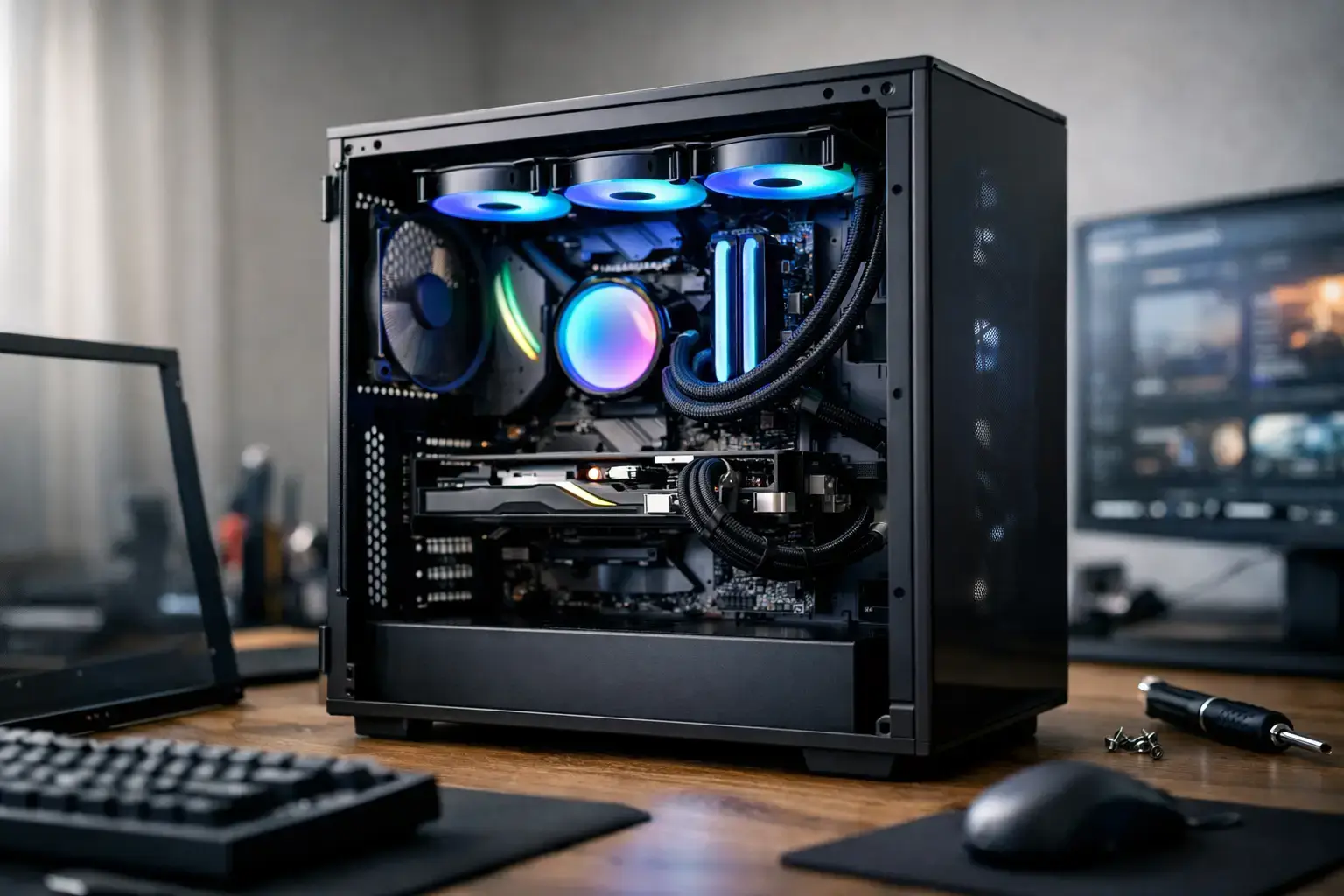
A gaming PC that shuts down halfway through a ranked match is not a performance machine, no matter how impressive its spec sheet looks. The same goes for a workstation that crashes during a render or an office desktop that slows to a crawl under routine multitasking. So, are custom PCs reliable? Yes – when they are built with compatible quality components, assembled correctly, configured properly, and tested before delivery.
The word “custom” can mean two very different things. It may describe a carefully selected system assembled by experienced technicians, or a collection of parts put together without much planning. Reliability comes from the process behind the build, not simply from whether the PC was customized.
Are Custom PCs Reliable Compared With Prebuilt PCs?
A well-built custom PC can be every bit as reliable as a mass-market prebuilt, and often more reliable over the long term. Large manufacturers can produce capable systems, but cost targets sometimes lead to proprietary motherboards, limited cooling, lower-capacity power supplies, or cases that make upgrades difficult. Those choices are not automatically bad, but they can restrict repair options and leave less room for future hardware.
A properly configured custom system uses standard, branded components chosen to work together. That matters when you want to add storage, upgrade the graphics card, increase memory, or replace a part years from now. Standard ATX and microATX platforms, quality power supplies, sensible airflow, and accessible components give owners more control over the life of their PC.
There is a trade-off. Buying parts individually and building a PC yourself can save money, but the builder becomes responsible for compatibility checks, cable management, BIOS updates, cooling installation, memory settings, and fault finding. For someone comfortable diagnosing hardware, that can be part of the fun. For a first-time gamer, creator, or business buyer, a professionally assembled system removes a lot of uncertainty.
What Makes a Custom PC Dependable?
The processor and graphics card get the attention, but reliability is usually decided by the less glamorous parts of the build. A fast Ryzen 7 or Intel Core i7 system is only as stable as its power delivery, cooling, memory configuration, and assembly quality.
Quality parts matter more than a flashy spec list
A reliable build starts with reputable components. The motherboard needs suitable power delivery and the right features for the processor. The power supply should have enough capacity and quality protection circuitry for the GPU, CPU, drives, fans, and future upgrades. This is especially relevant for high-FPS gaming systems with power-hungry RTX graphics cards or workstations running sustained multi-core loads.
Cutting corners on the power supply is one of the easiest ways to create future problems. A good unit does not make a PC faster in benchmark charts, but it supplies stable power and protects the rest of the system from electrical issues. It is a foundation component, not an afterthought.
Storage and memory choices also affect everyday reliability. A branded NVMe SSD offers quick boot times and responsive game or application loading, while sufficient RAM prevents unnecessary slowdowns when multitasking. For a modern gaming or productivity desktop, 16GB is a practical starting point, while 32GB or more makes sense for video editing, large creative projects, demanding simulations, and heavy browser-based work.
Cooling is about stability, not just temperatures
A CPU or GPU running too hot can reduce its own speed to protect the hardware. In severe cases, the PC may shut down under load. That is why cooling should match the actual workload rather than the marketing label on the processor.
An entry-level desktop used for email, documents, Minecraft, Roblox, or light esports does not need an oversized liquid cooler. A high-end CPU handling long renders, streaming, competitive gaming, or professional software needs more thermal headroom. The best setup balances a capable CPU cooler with a case that has clear intake and exhaust airflow.
Fan placement and cable routing are not cosmetic details. Clean airflow helps components run cooler, reduces dust buildup in problem areas, and makes future maintenance easier. A tidy build also makes it easier to spot a loose cable or replace a component if service is ever needed.
Compatibility checks prevent avoidable faults
Not every CPU, motherboard, RAM kit, cooler, case, and graphics card combination is ideal. A physical fit does not always guarantee that a system will perform at its best. Memory may need the correct profile enabled to run at its intended speed. A motherboard may require a BIOS version that supports a newer processor. A large graphics card may need careful clearance checks, while a compact case may require a cooling plan that differs from a full tower.
These are the details that separate a parts list from a reliable PC. Expert assembly includes confirming compatibility before the build starts, setting BIOS options correctly, installing the operating system and drivers, and checking that the system remains stable under real load.
The Testing Process Is Where Confidence Comes From
A custom PC should not go from assembly bench to shipping box without proving it can handle work. Booting into Windows is only the first checkpoint. Stability testing helps reveal issues that may not appear during a quick startup, including unstable memory settings, thermal limits, storage faults, driver problems, and unexpected power behavior.
For a gaming desktop, testing should cover processor and graphics performance under load, temperatures, fan operation, and game-ready drivers. For a creator workstation, it should also account for sustained CPU load, memory capacity, storage responsiveness, and the demands of the applications the buyer plans to use.
BIOS and memory-profile configuration deserve special attention. Modern DDR4 and DDR5 memory often runs at a safe default speed until its intended performance profile is enabled. Setting it correctly helps the system deliver the performance the buyer paid for, but it must be validated for stability. Reliable custom PC builders do not treat this as an optional extra.
Reliability Also Depends on Choosing the Right Tier
A PC can be flawlessly built and still feel unreliable if it is underpowered for the job. A budget system asked to run demanding 4K games, edit high-bitrate footage, or handle large professional projects will struggle. That is not a build failure – it is a mismatch between the hardware and the workload.
For casual gaming, schoolwork, and home use, an entry-level Ryzen 5 or Intel Core i5 system with a sensible graphics card can deliver excellent daily responsiveness. Competitive players benefit from a stronger GPU and CPU pairing that targets stable frame rates at their chosen resolution. Content creators often gain more from additional CPU cores, 32GB or 64GB of RAM, fast NVMe storage, and a graphics card suited to their editing or rendering software.
Business buyers should think beyond today’s spreadsheet or video call. A fully upgradeable desktop can be a better long-term investment when workloads, storage needs, or team requirements grow. Selecting a case, motherboard, and power supply with room for expansion reduces the chance of needing to replace the whole system prematurely.
How to Buy a Reliable Custom PC
Before placing an order, focus on the builder’s process as much as the headline specifications. Ask whether the components are named clearly, whether the system is compatibility-checked, how cooling is selected, and whether the PC is tested before it ships. Transparent specifications are a good sign because they show exactly what is inside the machine.
Support matters after delivery too. Every electronic device can develop a fault, whether it is custom-built or factory-made. The difference is how quickly the issue can be identified and resolved. A specialist builder that understands the components inside your system can provide more useful help than a generic support channel working from a broad product catalog.
For buyers who do not want to build from scratch, the strongest option is usually a configured system built around a clear use case. Start with the games, applications, resolution, storage needs, and upgrade plans that matter to you. Then choose the performance tier that meets those needs without paying for hardware you will never use.
A custom PC earns its reliability through sensible design, careful assembly, and proper testing. Choose the right hardware for your workload, give it adequate cooling and power, and buy from people prepared to stand behind the system after it reaches your desk.

